How KitSlate works

One job, first enquiry
to paid.

KitSlate follows a single booking the whole way through — each stage feeding the next. Here is exactly what happens at every step, what each document does, and how it reaches the people who need it.

Enter the sandbox →
The whole job, one pipeline

From first enquiry
to PAID — one connected pipeline.

Every stage feeds the next — equipment prices the quote, the quote becomes the call sheet, the shoot day becomes the invoice, and every document sends as a real email from your company.

1 · THE JOB
Netflix — BTSclient · dates · studioBOOKED
2 · EQUIPMENT
8 itemsCamera Case A · serials onPACKED
3 · SETTINGS
4K 23.98Slog3 preset attachedLOCKED
4 · THE QUOTE
$2,640priced from your ratesOPENED
5 · CALL SHEET
5 crewemailed · trackedCONFIRMED
6 · INVOICE
Net 30QuickBooks syncedPAID

The whole flow, in real screenshots.

One real booking — Fireside Chat — Ep. 4 — from the job hub to a confirmed crew and a paid invoice. Every screen below is the live KitSlate app.

1THE HUB

Every booking, one place to run it.

Home is your morning read — what’s shooting, what’s owed, and what still needs sending. The bar across the top counts every enquiry coming in and every document going out: sent, opened, confirmed.
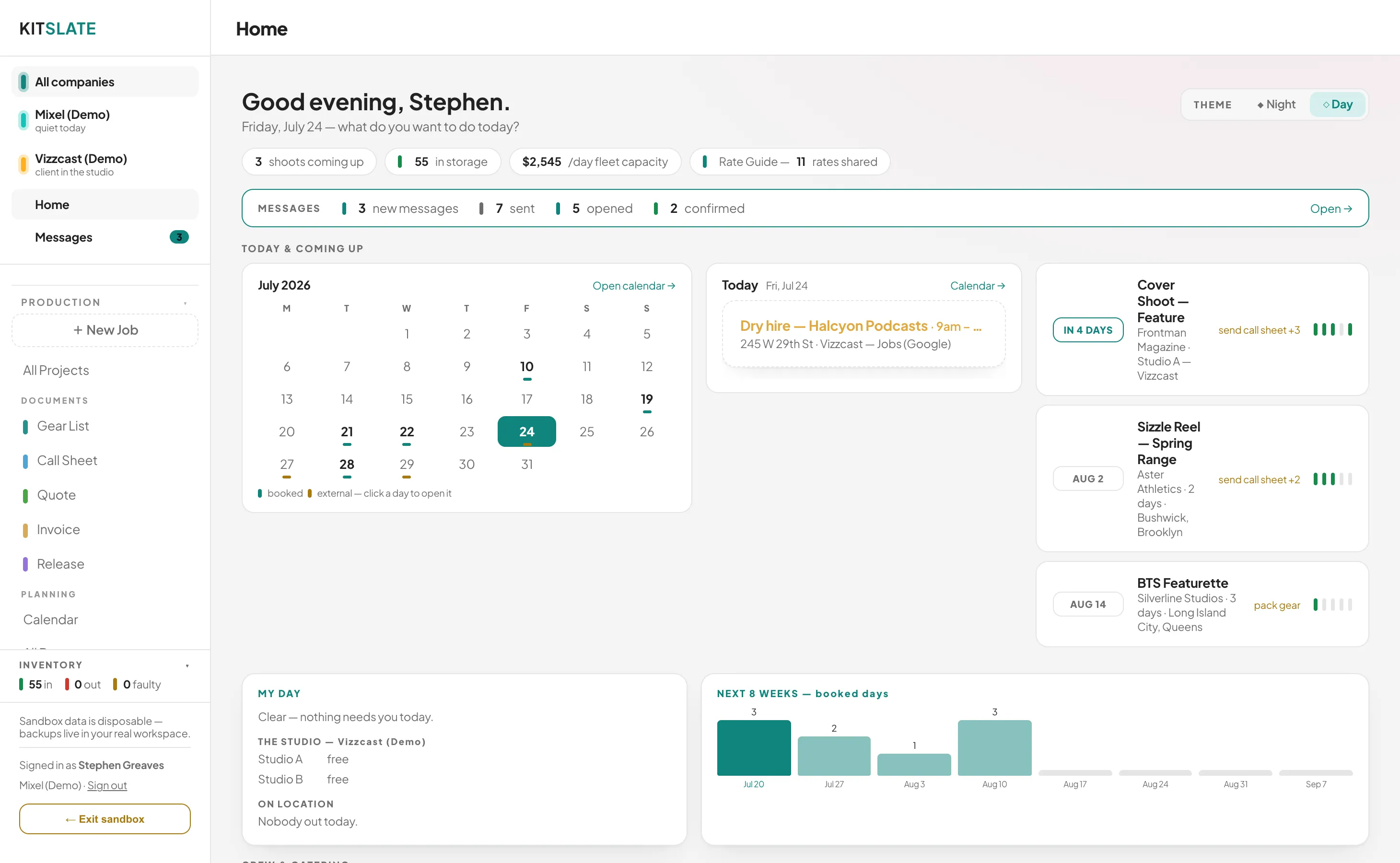
Jobs, calendar and deadlines for every company in a single view.A live Messages tally — enquiries in, documents out.
app.kitslate.app · Home
KitSlate Home dashboard showing shoots, deadlines, a calendar and a live messages tally
2YOUR INVENTORY

Build the kit from your own store.

Every camera, lens and light lives in your inventory — serials, cases, day rates and market rates attached. Bundle items into reusable kits, then drop them onto a job’s gear list in a tap. This is the spine every other document hangs off.
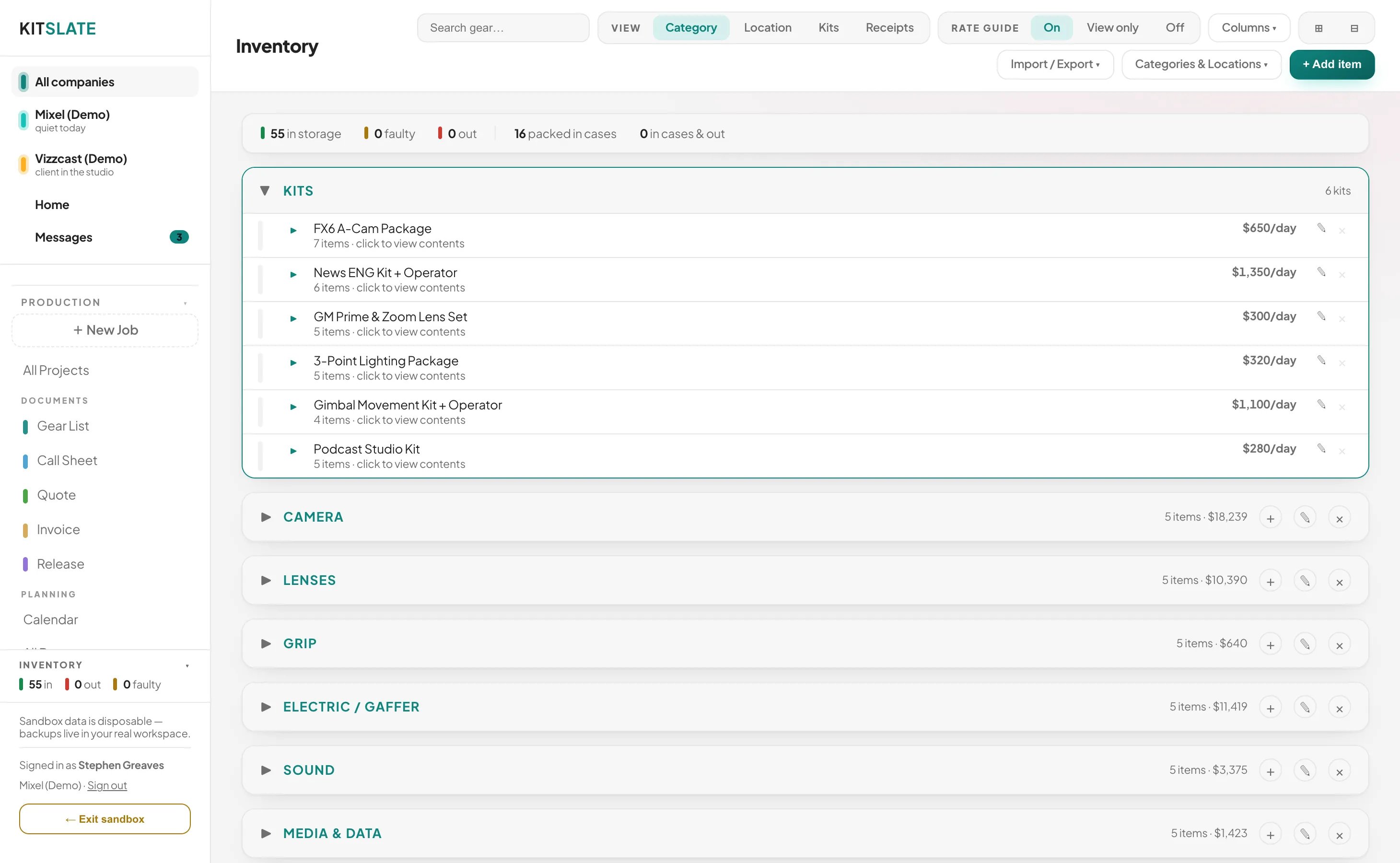
Reusable kits, cases and locations — packed and tracked.A live day rate and market benchmark on every item.
app.kitslate.app · Inventory
The inventory: reusable kits and gear grouped by category with day rates and case locations
3QUOTE

The production quote.

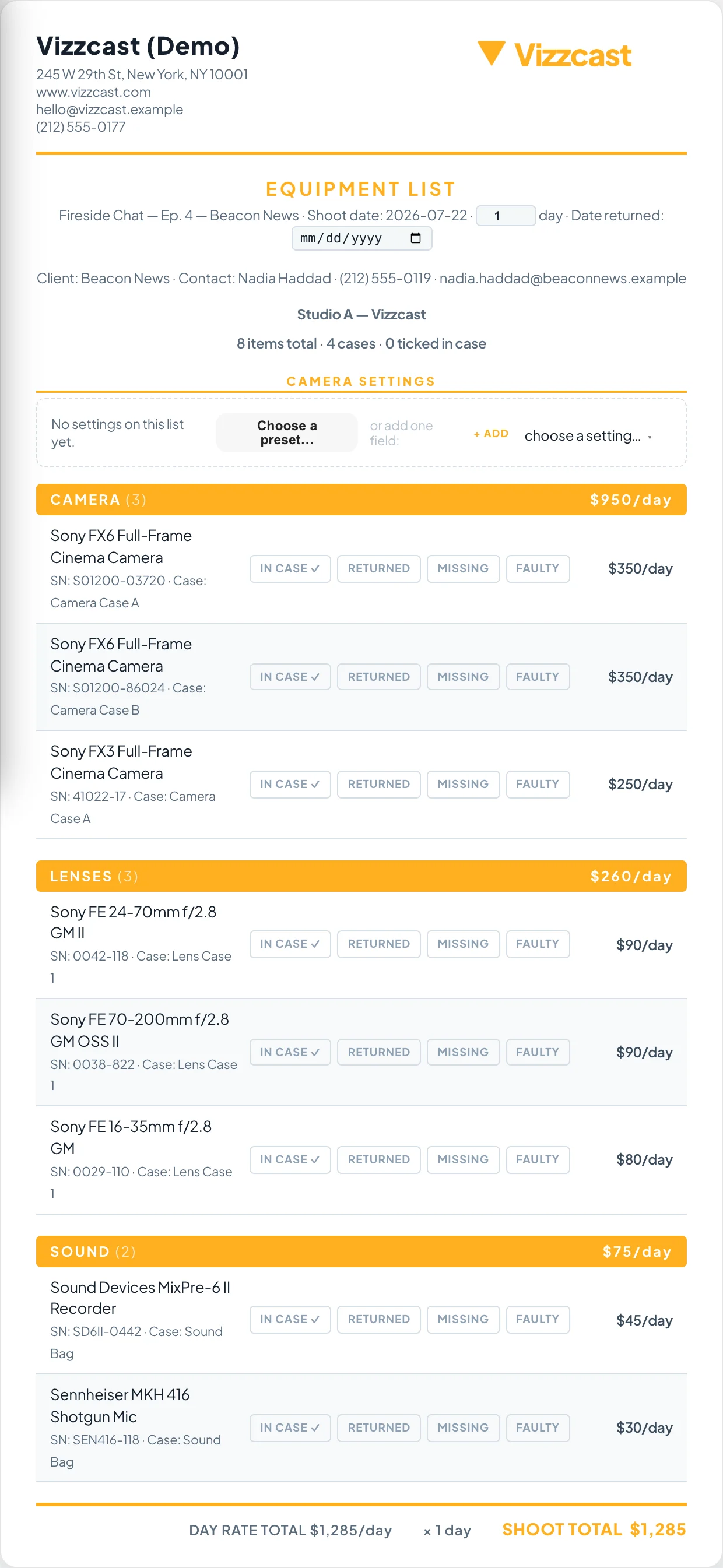
Equipment, crew, studio and fees on one branded quote — line items, subtotals, totals and your payment terms, ready to send from the company running the job.
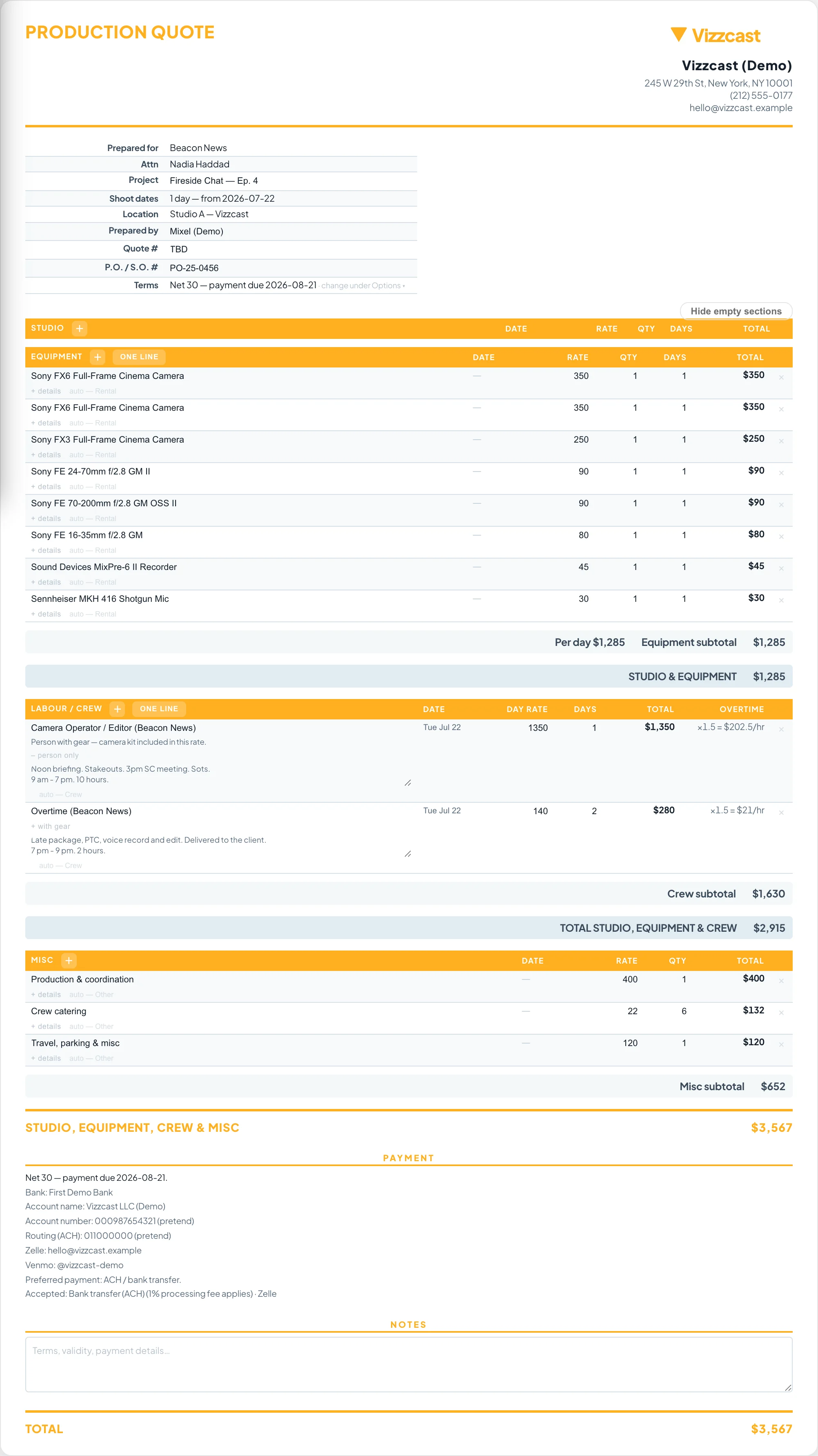
Quote · Vizzcast (Demo)
A branded production quote — equipment and crew line items, subtotals, total and payment terms on one page
↕ Scroll — equipment, crew, totals and payment terms on one page
4CALL SHEET

Plan the shoot day.

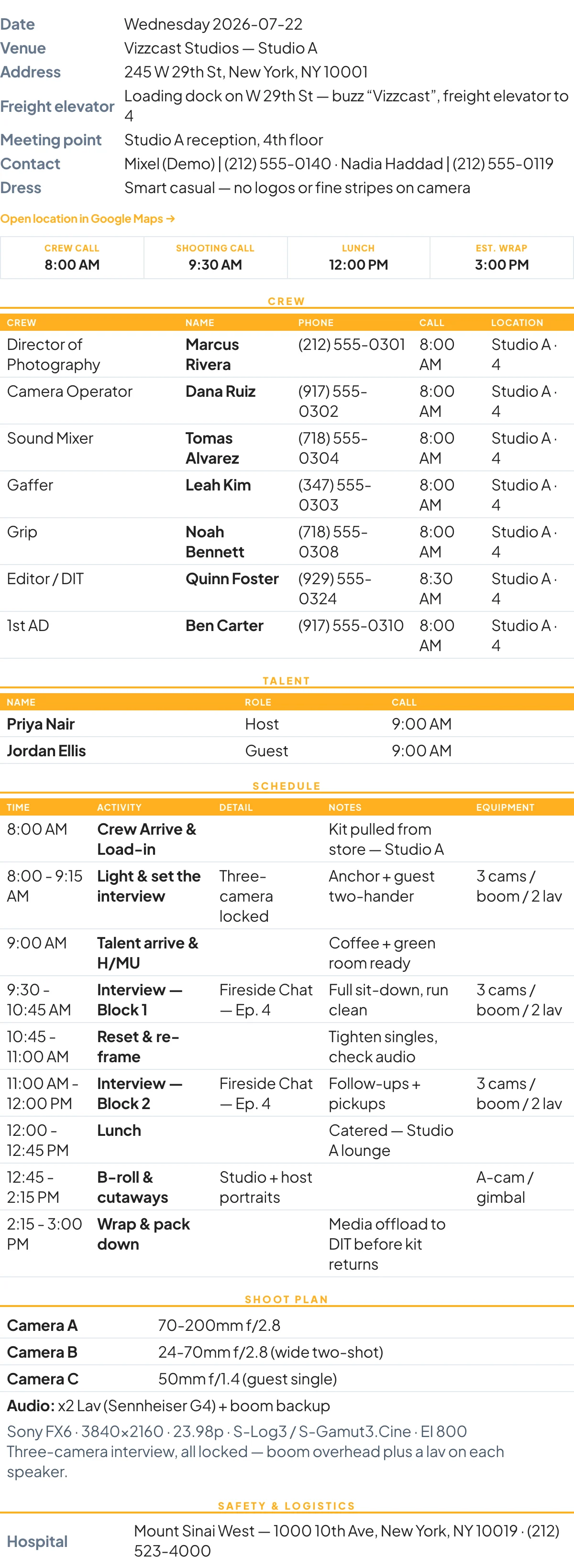
Crew, cast, schedule, locations, contacts and the day’s weather — filled from the job. You build and edit it in the app on the left; it renders as the clean, branded sheet on the right that emails to your crew.
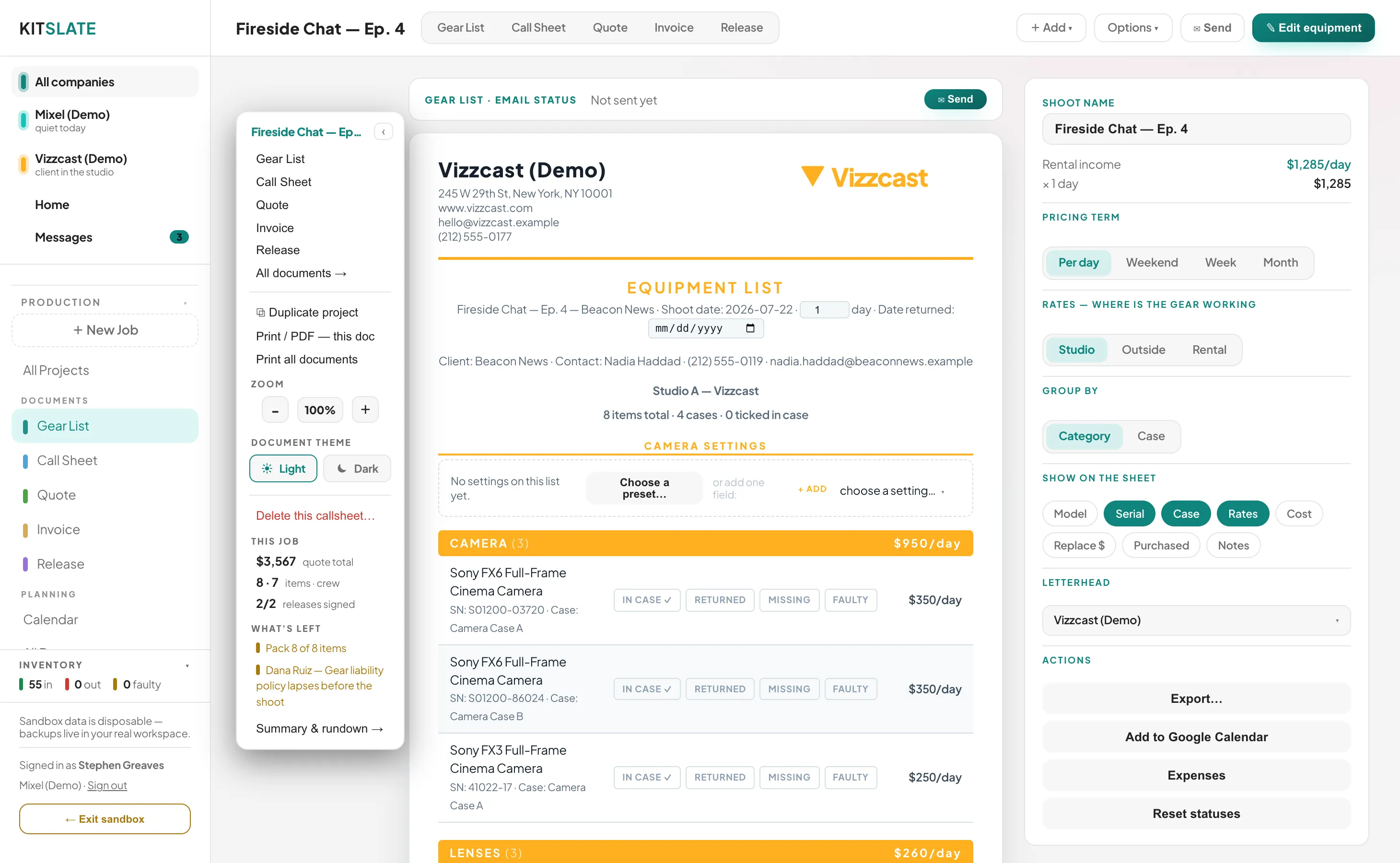
IN THE APP — BUILD & EDIT
app.kitslate.app · Call Sheet
The call sheet editor in the app — document tabs, per-recipient delivery tracking, catering and the editable sheet
THE SHEET THAT SENDS
Call Sheet · Vizzcast (Demo)
The finished branded call sheet — key times, crew, schedule, shoot plan and safety
The right panel scrolls — same job, same data, rendered clean and ready to email
5ONE SEND

Everyone gets their own copy.

One tap on Send to crew emails each person their own call sheet — real email from the company running the job, the whole sheet in the body and a PDF attached. No group thread, no “did you get it?”
6ONE-TAP CONFIRM

They confirm without logging in.

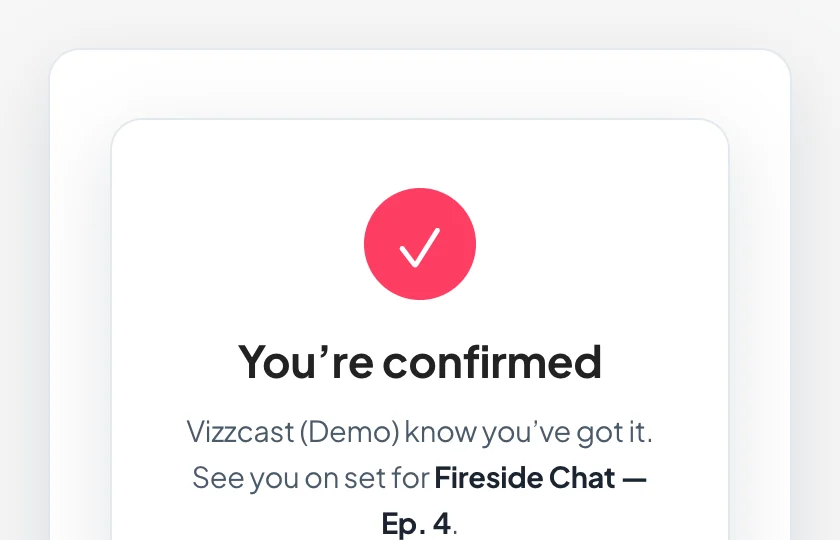
A Confirm button rides inside every email. One tap — no login, no app to install — and they see they’re locked in for the day. However they reply, it lands in your Messages.
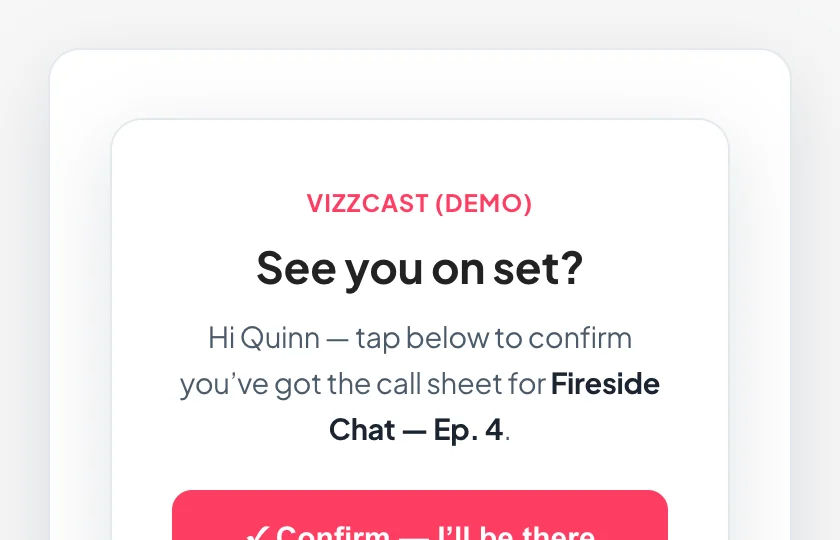
kitslate.app/confirm
The one-tap confirm page a crew member sees, with a Confirm — I'll be there button
kitslate.app/confirm
After tapping — a You're confirmed screen
7TRACKED

Watch it land, name by name.

Every document you send and every enquiry that comes back sits in one Messages inbox. Call sheets show who opened and who confirmed; quotes and invoices show delivered and opened — live.
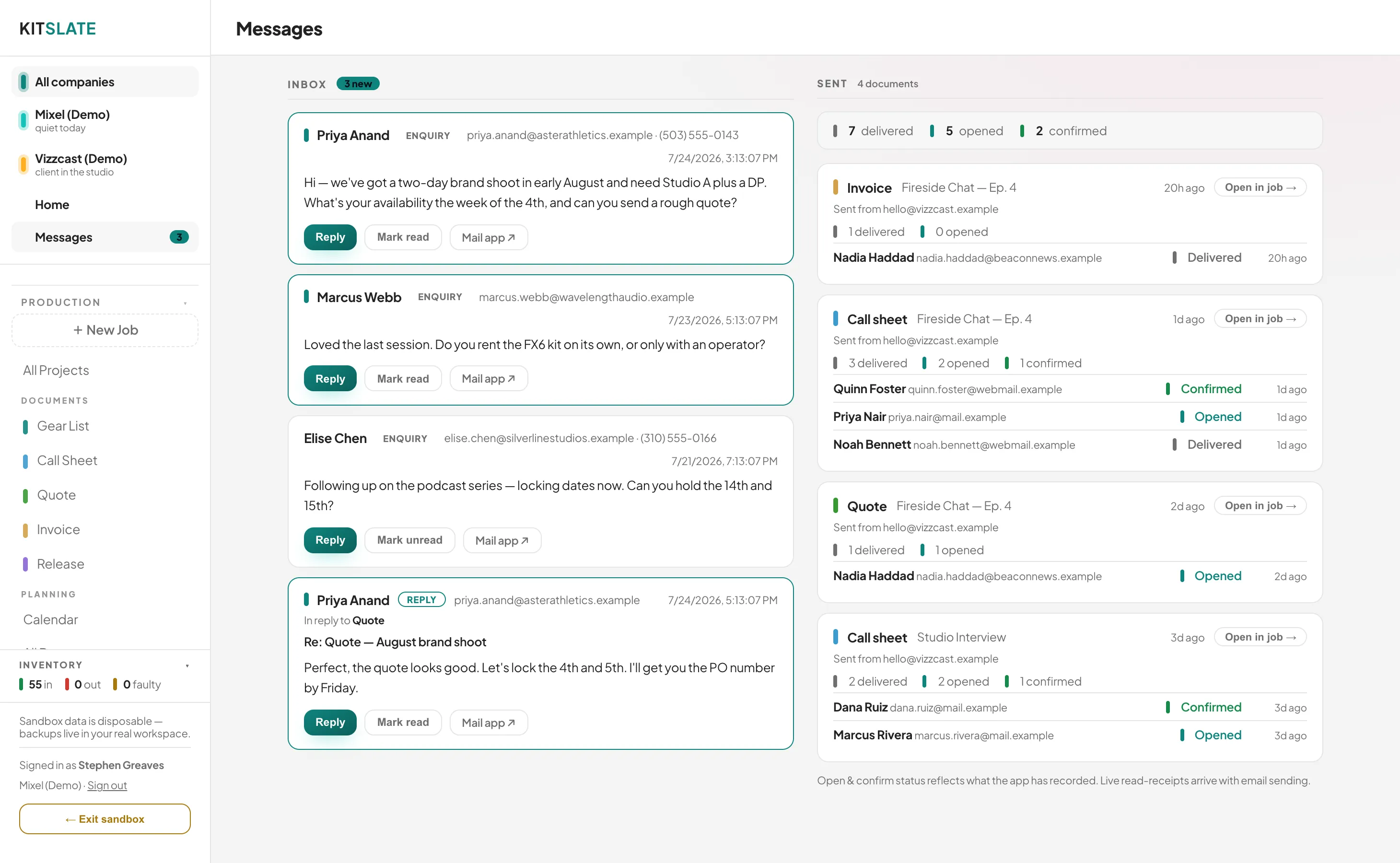
Booking-page enquiries arrive in the same inbox.Reply to any thread without leaving KitSlate.
app.kitslate.app · Messages
The Messages inbox — enquiries in on the left, sent documents with per-recipient open and confirm status on the right
8INVOICE

Turn the quote into a bill.

One click freezes the accepted quote into a numbered, dated invoice. It sends as branded email, and Wave or QuickBooks sync the paid / unpaid status back to your Income Tracker.
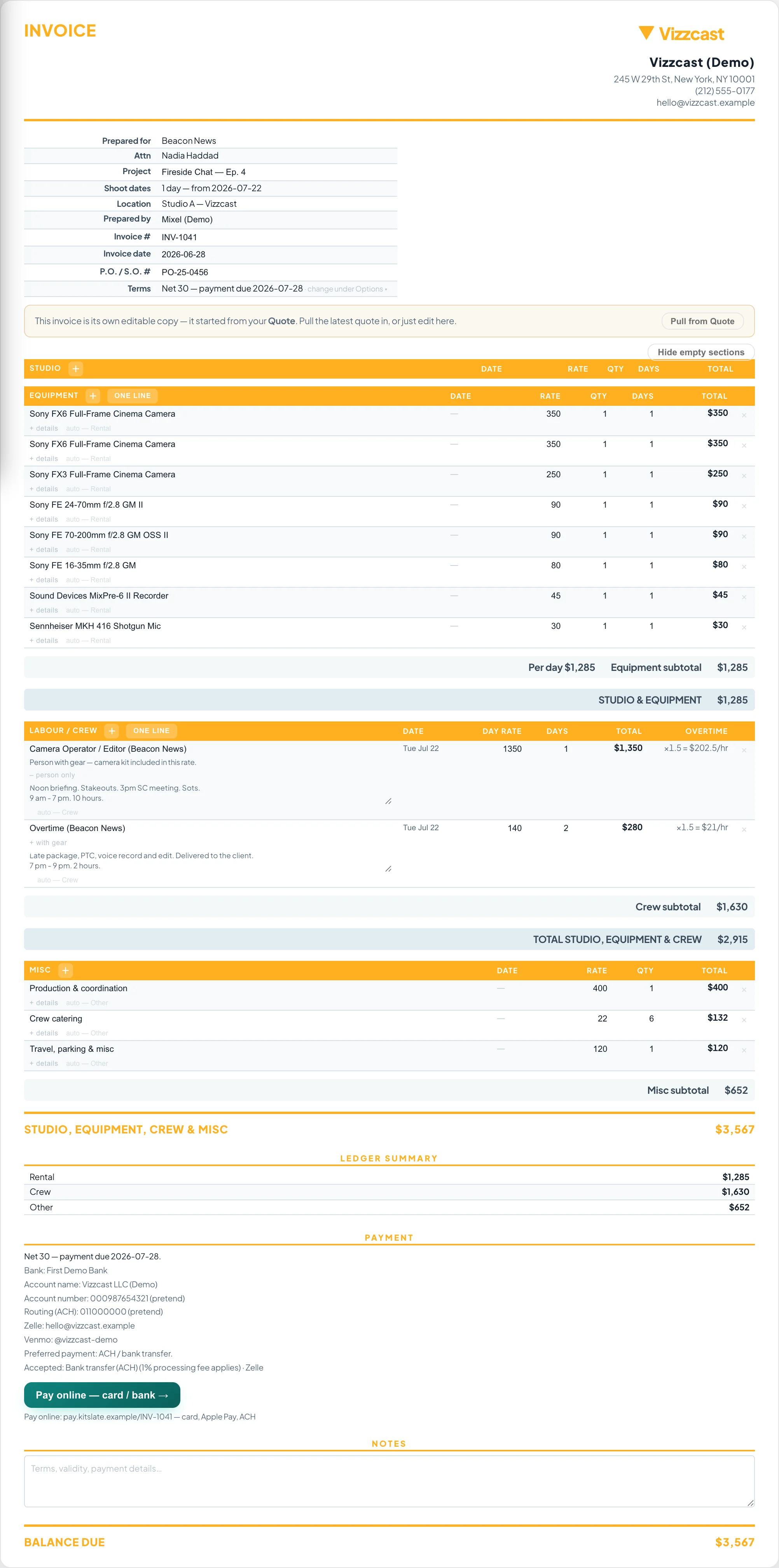
Invoice · Vizzcast (Demo)
A numbered, dated invoice frozen from the accepted quote, with payment terms
↕ Scroll — numbered, dated, with payment terms
9RELEASE

Talent releases, e-signed.

Attach a model & appearance release to a job that already has a call sheet and the cast fills itself in. Each signer gets their own private link; minors are flagged for a guardian signature — signed / awaiting shows per person.
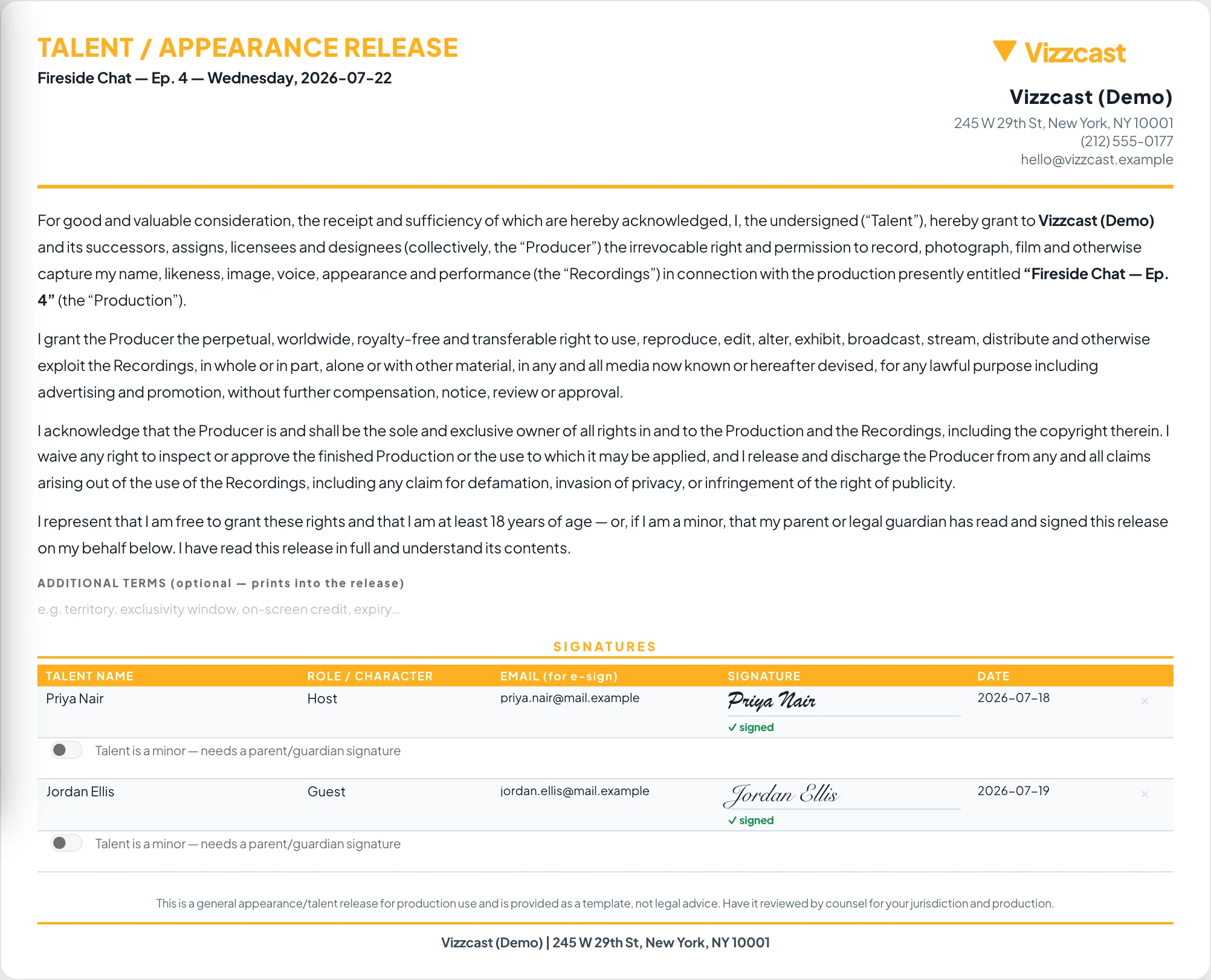
Release · Vizzcast (Demo)
A talent appearance release with per-signer signature rows and minor flags

How delivery works.

Nothing here is a PDF you download and attach yourself. Every document sends itself — and tells you what happened next.

Email, footer, status & inbox

Sent for real. Tracked for real.

Documents go out as branded email from whichever company is running the job — not from a generic no-reply, and not as an attachment you have to manage.

Real email delivery from the right company's own address, PDF attached.
A branded footer on every send — logo, contact details and your own line.
A live EMAIL STATUS bar on every document page — sent, opened, confirmed.
One Messages inbox holds every send out — and every reply back.
Your public booking page is the way clients reach you; every enquiry lands in that same inbox.
Call sheet → 5 crewREADYSENT4 CONFIRMED
Quote → Northlight FilmsREADYSENTOPENED
Invoice 1042 → BBCREADYSENTPAID
Gear list → rental houseREADYSENTOPENED
Release → talent, e-signREADYSENTSIGNED
✉ EMAIL STATUS 5 sent · 4 opened · 3 confirmed
Mixel Media · [email protected] · mixel.media FOOTER

One workspace, every company.

Run more than one business? Each keeps its own jobs, calendar, branding and books — and every document above prints and sends under whichever company owns the job.

Mixelquote & invoice on mixel.media letterhead
Vizzcastsame documents, vizzcast.com branding & bank details
Switch the company and the logo, colours, sending address and footer all follow — automatically.
Automatic branding

The paperwork wears the right hat.

You never pick a template. The company running the job sets the letterhead, colours, bank details and the address every email sends from — so a client only ever sees the business they hired.

Shared rates & your data.

Two promises that make everything above safe to rely on — price against the market without guessing, and never get locked in.

RATE GUIDE — SHARED RATES

Price against the market, not guesswork.

What it isAnonymous day rates pooled from real owners in your city — crew, gear and studio — so you can see where your pricing actually sits, weekly deals included. How sharing worksGive to get: share your own rates and the benchmarks unlock. Opt out any time and they grey off — leaving is instant and never punished. What's sharedYour rates, plus city, state and country. Never your name, your clients or your jobs. Where it's atLive in the app on researched benchmarks today; the real community pool fills in as early-access owners join.
YOUR DATA — IN, OUT, YOURS

Everything you put in, you can take out.

What comes inDrop a QuickBooks or B&H PDF and it becomes real inventory, clients and income — line items, serials and totals and all. What goes outClients, crew, inventory, income and expenses export as CSV that QuickBooks and Wave read natively; every document prints to PDF. The backupYour entire workspace exports to a single file — one click, no lock-in. Kept privateSynced encrypted to every device you sign into. Not even we can read your business.

See it move.

The sandbox is a full, populated workspace — send a document, watch the status change. No account needed.

Enter the sandbox →
← Back to the overview  ·  See pricing